Shape Shifter is a tool for mapping data to the Strategic Environmental Archaeology Database (SEAD)
This is a tool that lets us save “recipes” to take a dataset that we would like to upload into SEAD and describe all of the necessary transformations needed to accomplish that. Or, said in more formal database terms, “Shape Shifter is a declarative data transformation framework that uses YAML configurations to harmonize diverse data sources into target schemas by providing a helpful visual interface for creating, managing, and testing these transformation configurations”.
While this tool was designed with SEAD in mind, it can be used with any database by changing the specified Data Source.
Obtain a login
In order to use SEAD Shape Sifter you will need to log in to the system. You can obtain one by talking to Roger Mähler , who developed the tool.
Getting Started
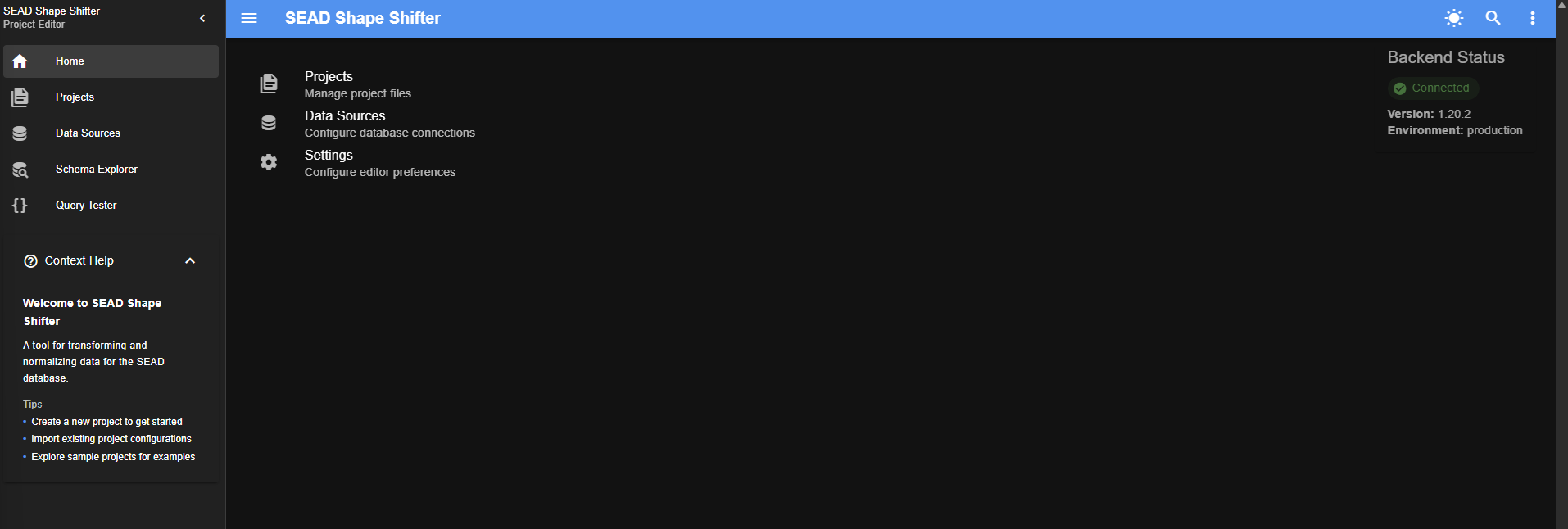
Log into SEAD Shape Shifter through this URL: https://shape-shifter.sead.se/ After you log into SEAD Shape Shifter you are presented with three options in the main window:
Welcome Screen
Projects Choose this option to open an existing project, or start a new project from a data source that is already present in SEAD Shape Shifter
the Data Sources Window Choose this option to browse or edit existing data data sources that can be used in the projects, or to create a new data source
the Settings Window Choose this option to change the theme (colour schemes) and interface options
The Left-hand Menu Bar In addition to the main window, there is a collapsible navigation bar on the left side of the screen with five menu options, that are available no matter which window you are in.
Home: the welcome screen one sees when one logs in.
Projects: The main window for doing the data mapping.
Data Sources: The list of the various data sources that are already available, and place to upload new data sources.
Schema Explorer: A window in which one can look at the information contained in a data source.
Query Tester: Write and test SQL code before using it for data mapping tasks.
Next: 2. Projects Window